Direct Printing for Perfex CRM
Invoices, receipts and product labels straight from Perfex to a thermal printer, with no PDF download in between.
$59 one payment
Receipts are now tested on a real printer. A Rongta RP820 over USB, on 29 September 2026: the 80mm receipt, the 58mm receipt and the kitchen ticket all printed, cut, and matched what the renderer said they would. It found two layout faults on the first afternoon, both fixed and both now covered by tests.
Two things on this page are still not proved on hardware. The ZPL labels are checked by a real ZPL renderer but have never gone to a Zebra, and the network socket transport has never opened a connection to a printer that was not on the end of a USB cable. If you use either, say so and I will treat what you find as a priority.
Buy it, try it, and if something does not print, tell me what printer you have and what came out. I will fix it or refund you, your choice.
Demo: crmdemo.lumadro.com/admin · demo@lumadro.com / demo · read-only, so the demo cannot configure a printer
What is verified, and how
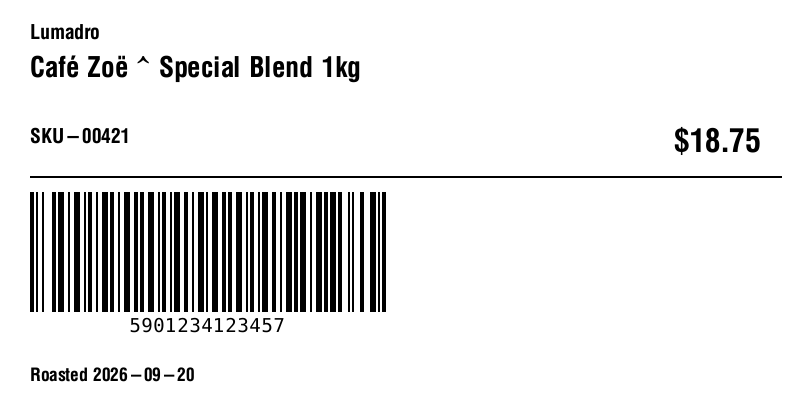
- Labels are rendered and checked. The ZPL goes through a real ZPL renderer and comes back as an image. Accents print, a caret in a product name prints as a caret instead of breaking the format, the barcode carries the right payload, and a small label drops the company name rather than the barcode.
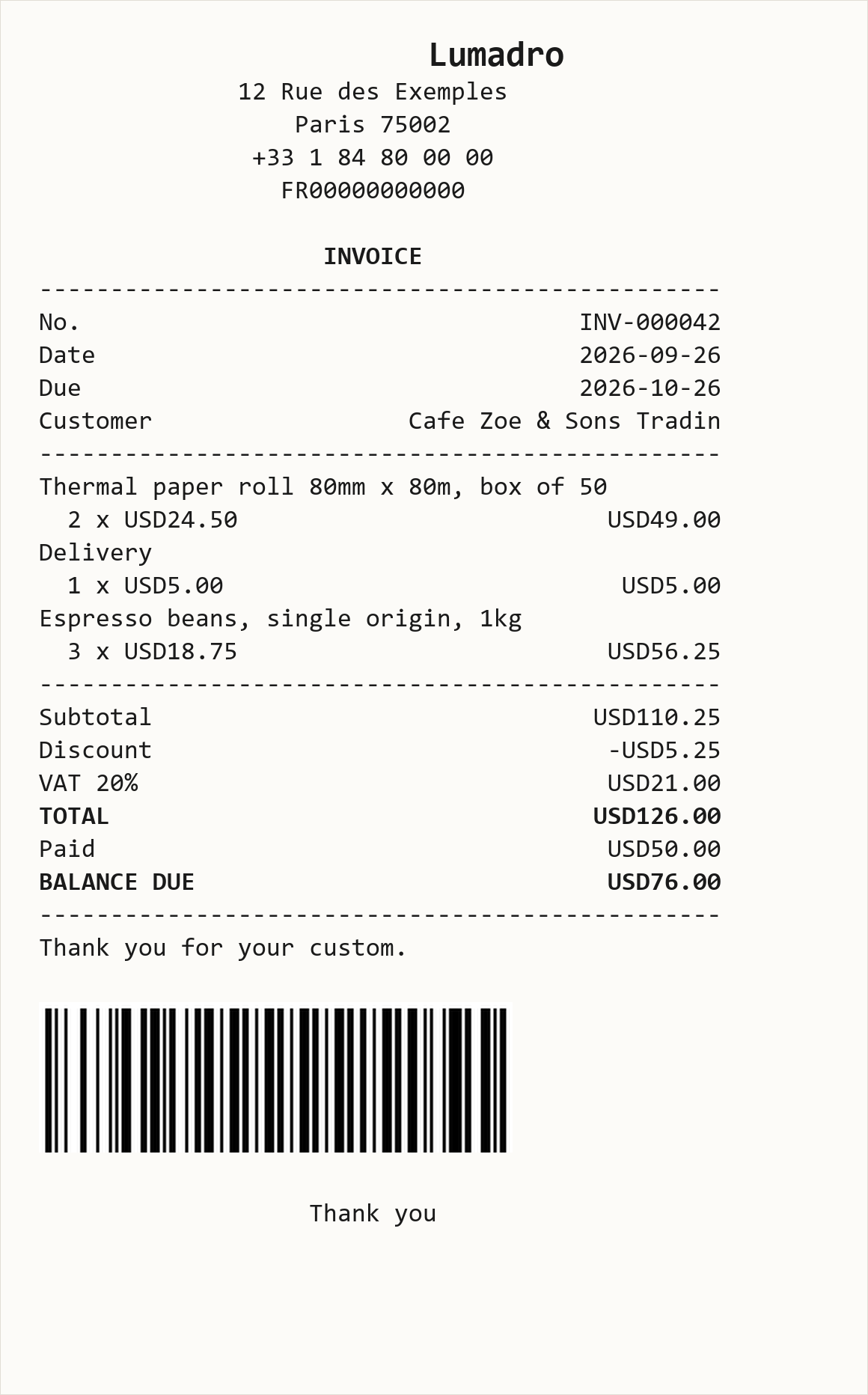
- Receipts are decoded and checked. The ESC/POS byte stream is decoded back into the page it describes, at 80mm and 58mm. Totals sit hard right, long product names wrap while totals never do, and the cut command is present.
- 162 assertions cover the commands, the transports, the layouts and who may print which document. Four exist because rendering the output found bugs the tests had missed, eighteen because a security review found that holding the print permission was being treated as permission to read any invoice, and twenty-two because a real printer found two layout faults on its first afternoon: a customer name cut short, and double-width text wrapped to the wrong column count.
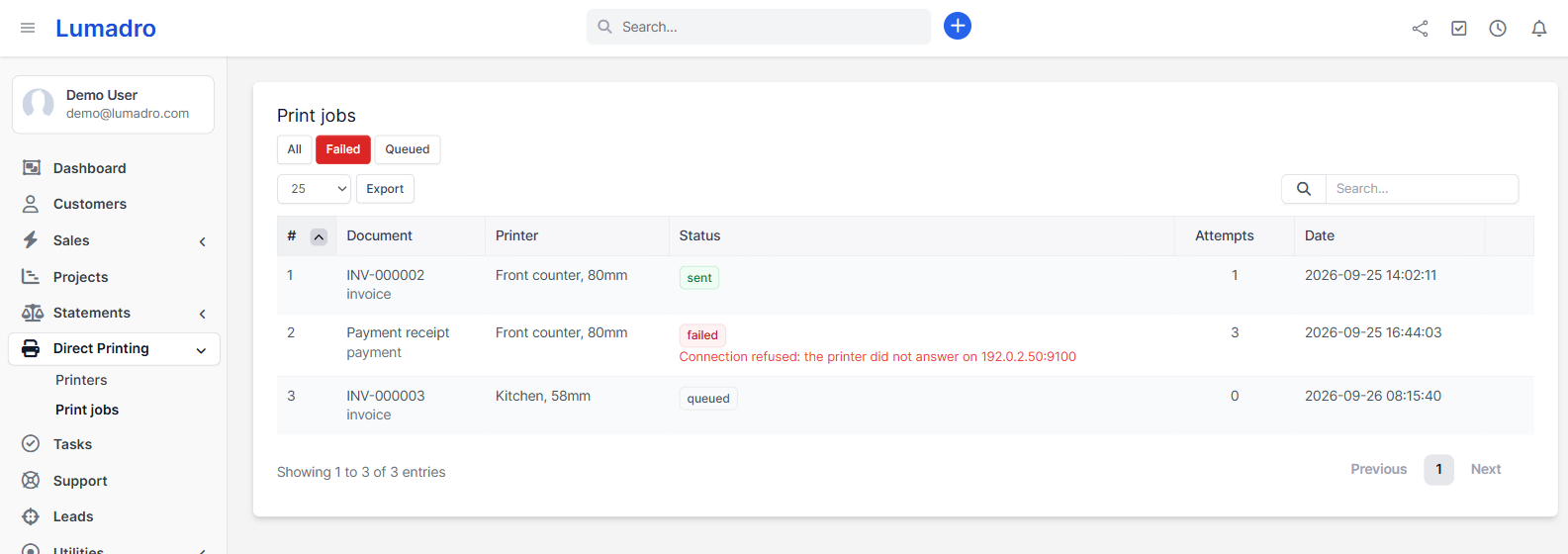
Every image below is real: the interface running on the demo you can open, and the actual output the module produces, rendered from the bytes it sends.
What is not verified
- that your printer accepts the stream and prints it
- that the paper cut fires on your model
- that a scanner reads the printed bars
- that PrintNode relays it to a real device
The first buyer who sends me a printer model and a photograph of the output is doing me a favour, and I will treat it that way.
What you get
- Direct network socket printing, which costs nothing and needs no third party, for any install whose server can reach the printer.
- PrintNode as a fallback for hosted installs whose server cannot.
- ZPL product labels with barcodes, at 100 by 50 and smaller.
- Per-printer layouts, including a kitchen ticket in large type with no prices.
- Automatic printing when an invoice or payment is created.
- An offline queue with retry, so a printer that is switched off does not lose the job, and never blocks the invoice from saving.
- Job history with the failure reason, and a nightly prune.
Security, since this module connects outward
The socket transport refuses loopback, link-local and unroutable addresses, and allows only printer ports. API keys are encrypted at rest. Layout definitions run through a whitelist, so an unknown block is dropped rather than executed. A printing module that lets someone point your server at an internal service is a worse problem than a crooked receipt.
Requirements
Perfex CRM 3.2 or newer, PHP 8.1 or newer. For the free path, an ESC/POS thermal printer with an Ethernet or wifi port. USB and Bluetooth printers need PrintNode, because a server cannot reach them directly.
Custom work
If you need a different receipt layout, another transport, or support for the printer already on your counter, say so and I will quote it. That work is what I would rather be paid for than a licence fee.
Full refund, no argument, if it does not print on your hardware.